mathealgou
reporeport
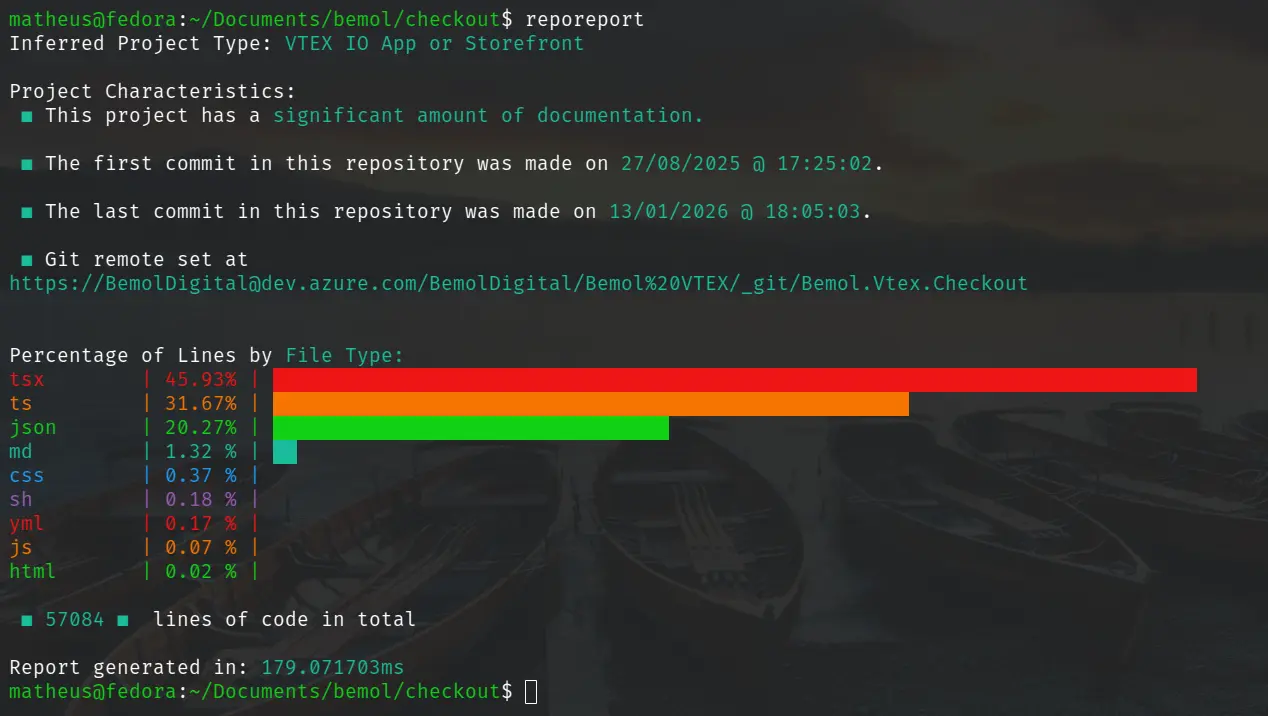
Fast AI-free repository analysis tool that counts files and lines by type, infers project type, and provides a concise summary report.
Installation
Linux
The code below installs reporeport on Linux by downloading the pre-built binary and adding it to the user's local bin directory.
sudo curl -sSL https://github.com/mathealgou/reporeport/releases/latest/download/reporeport -o /usr/local/bin/reporeport && sudo chmod +x /usr/local/bin/reporeport
Windows
The code below installs reporeport on Windows by downloading the pre-built executable and saving it to the System32 directory, making it accessible from any command prompt.
Invoke-WebRequest -Uri "https://github.com/mathealgou/reporeport/releases/latest/download/reporeport.exe" -OutFile "C:\Windows\System32\reporeport.exe"
Usage
cd <your-repo>
reporeport <flags>
Flags currently supported in code:
- --help: show CLI help
- --include-libs: count files inside lib/vendor/node_modules/.venv, etc.
- --use-gitignore: respect .gitignore rules when scanning files, skipping ignored files and directories.
- --verbose: Output the processing and analysis steps to the console (may slow down execution due to I/O overheard).
- --no-collor: Print the report in black and white.
Links
-
github
Fast AI-free repository analysis tool that counts files and lines by type, infers project type, and provides a concise summary report.